WoW: Forever add-on · Warsong Gulch
Make the call
without letting go of the fight.
Hold a key, flick the mouse, release. Your call is in /bg, with a ping on the right player.
Built to be used blind: while running, turning the camera, or carrying the flag.
The training ground runs the add-on's own Lua code. What you practise is exactly what you get in game.
 1
 2
 3
 4
 5
Three moves, under a second
-
1
Hold
Hold your wheel key (Tab, a mouse side button…). The wheel opens under the cursor, wherever it is.
-
2
Flick
Flick toward an action, then a place. A sector is picked when the cursor reaches its icon, so small jitters don't count.
-
3
Release
Let go: the message leaves in
/bg. Back to the center or onto the red cross, and nothing is sent.
Built around the two flag carriers
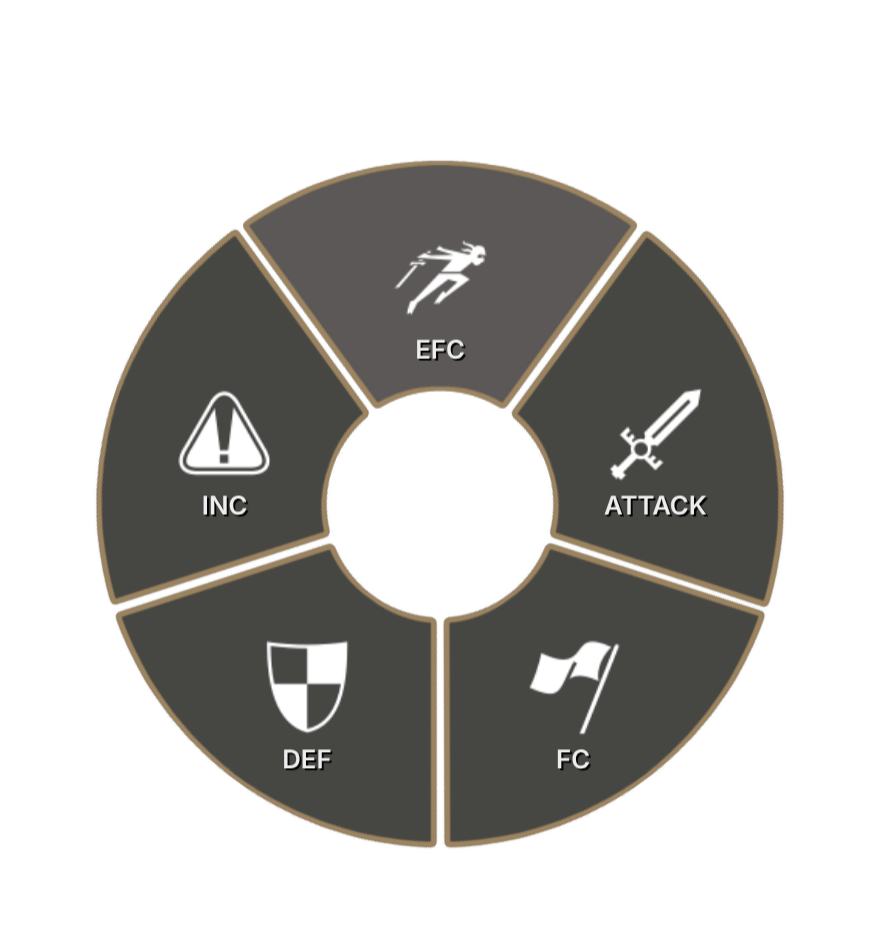
Five actions, always in the same place. Urgency on top, attack on the right, defence on the left.
- EFC their carrier. Release right away to ping him.
- ATTACK a place on their side, with how many players.
- FC our carrier: escort him, where he is, or CAP.
- DEF a place on our side, with how many players.
- INC enemies coming, how many, or scouted on their side.
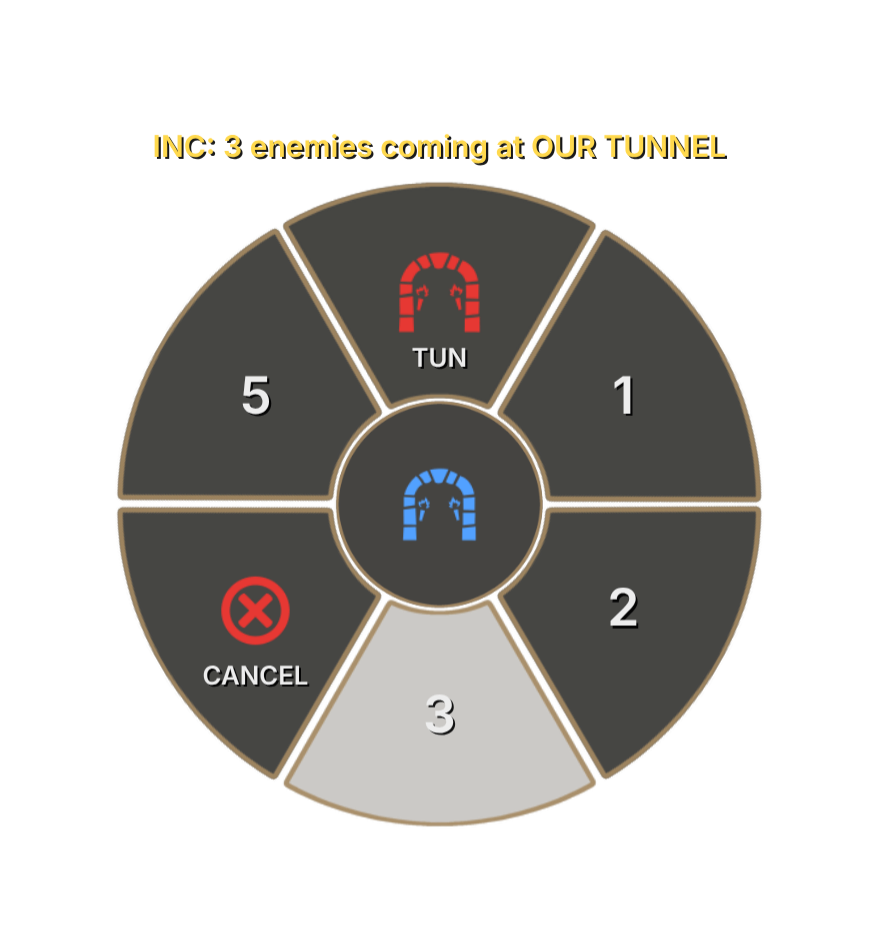
Blue is ours, red is theirs
No word to read for the side. Places keep the same spot on both sides: flag room on top, roof top right, ramp bottom right, mid at the bottom, graveyard bottom left, tunnel top left. Need the other side? One big sector on top flips it.
Messages anyone understands
The short term veterans react to comes first, then plain English for newcomers:
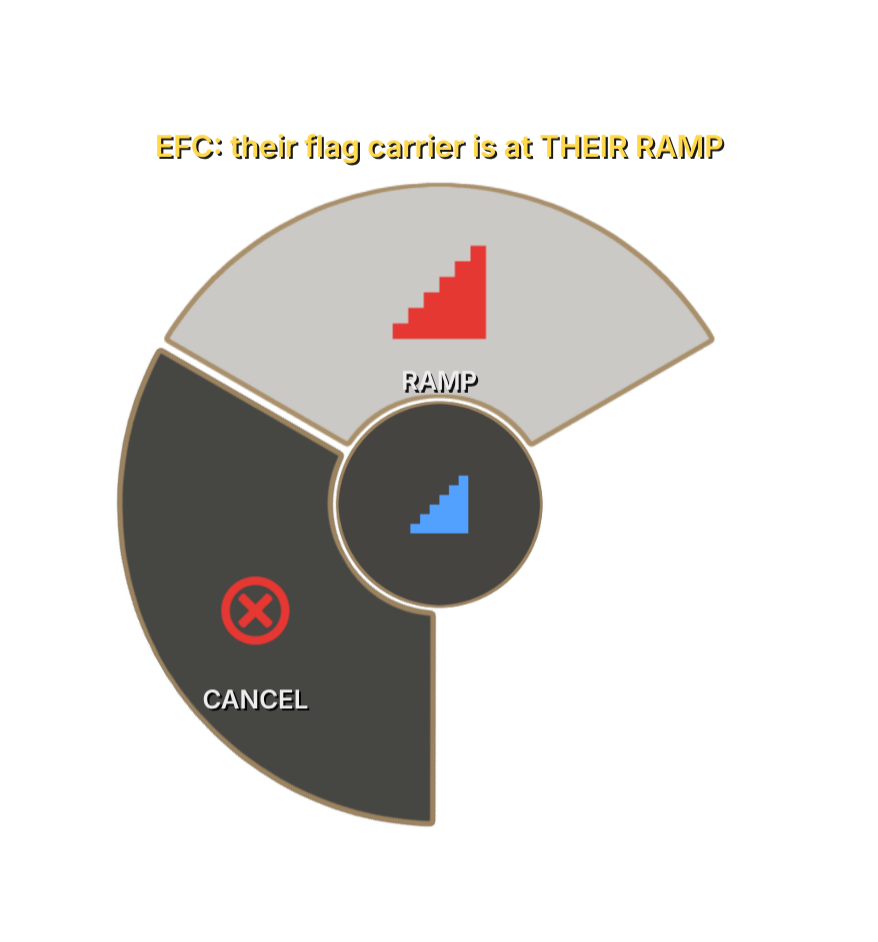
EFC: their flag carrier is at OUR RAMPFC: escort our carrier, THEIR TUNNELDEF: 3 defend OUR FLAG ROOMATTACK: everyone attack THEIR ROOFINC: 3 enemies coming at OUR TUNNELCAP: our flag is home, cap now
Practise before you queue
The training ground throws situations at you (“their carrier runs out through our ramp”, “3 enemies in our tunnel”), times your call and counts mistakes. Same keys as in game: hold Tab or Space.
Open the training groundInstall
- Download the latest version and copy the
CommandAndConquerfolder intoInterface/AddOnsof your WoW: Forever client. - In game: Esc › Key Bindings › AddOns › bind C&C: wheel to a key you can hold in combat.
- Outside battlegrounds, calls are whispered to you: practise freely. In Warsong Gulch they go to
/bg.
Useful commands: /cnc scale 1.3 (wheel size), /cnc ping (pings on or off), /cnc status.
Beta, tested on Forever 1.60.1. Why a wheel? In battlegrounds Forever blocks add-ons from writing in chat on their own;
a key you press yourself can. Details on GitHub.